Photos from camera or gallery
Each item carries a photo. Images are compressed on the device before they are saved to your account.

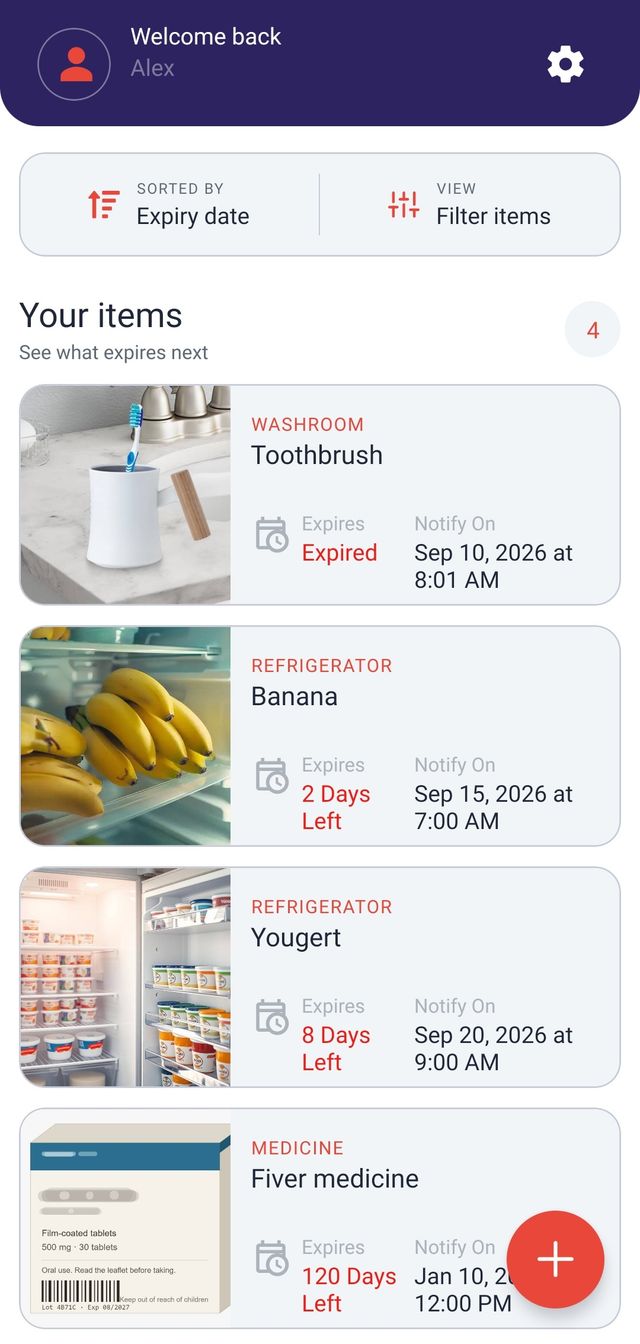
ExpiryNotifier keeps track of the things in your home that run out. Add an item with a photo, file it under a category, set a reminder for the date you choose, and see what is expiring soon or has already expired.
How it works
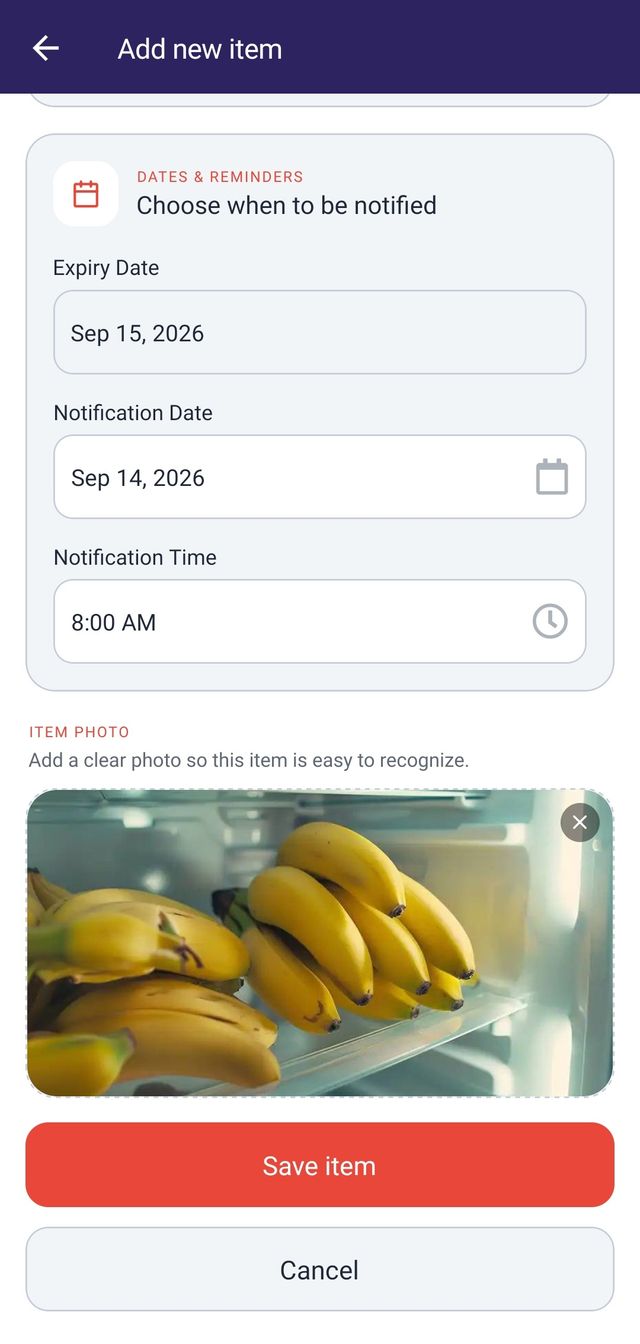
Give it a name, pick a category, and attach a photo from your camera or gallery so you can recognise it later.
Choose the date it expires, then choose the date and time you want to be reminded. The app checks that the reminder falls before the expiry date.
Your items are listed with the soonest expiry first. Filter by category, or narrow the list to what expires today, in the next 7 days, or in the next 30 days.
What it does
Each item carries a photo. Images are compressed on the device before they are saved to your account.
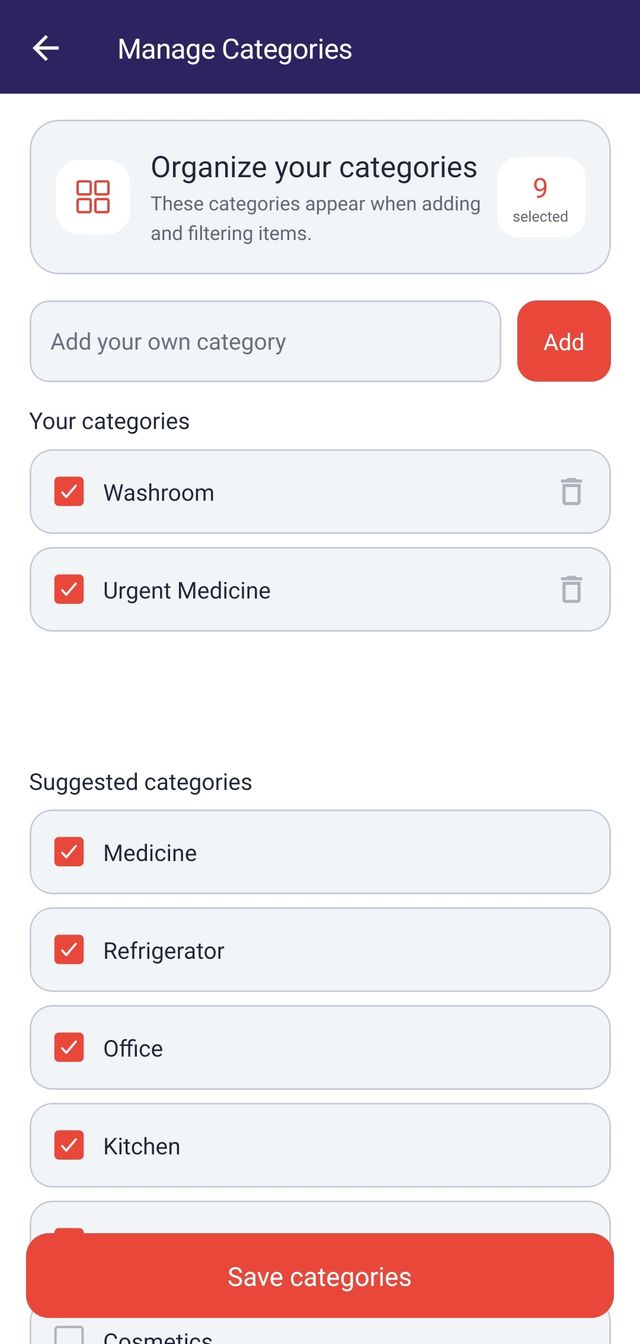
Start from 82 preset categories and select the ones you use. You can also add your own, and the app keeps up to 50 custom categories.
Filter by category, or by All, Expired, Today, Next 7 Days, and Next 30 Days.
Reminders are scheduled on your phone rather than sent from a server. If notification access is switched off, the app tells you what to change.
Six report types you can preview in the app and export as PDF, Excel, or CSV.
Match your device or pick a theme yourself. Times can follow the system format or be fixed to 12 hour or 24 hour.
Start as a guest without signing up. You can add an email and password later to the same account, and your existing items stay where they are.
Categories
The app ships with 82 preset categories covering food, medicine, personal care, household supplies, electronics, documents, and more. You pick the ones that match what you keep, and the rest stay out of your way.
When a preset does not fit, add your own. The app keeps up to 50 custom categories, and names have to be unique so you do not end up with two versions of the same thing. Only the categories you have selected appear when you add an item or filter the list.
Reports
Six report types, each with its own date range, category, status, and sort options. Preview a report in the app before you export it.
Totals across your items at a glance.
What is due within the range you choose.
Everything already past its date.
The full list, filtered and sorted how you want it.
How your items are distributed across categories.
When your reminders are set to arrive.
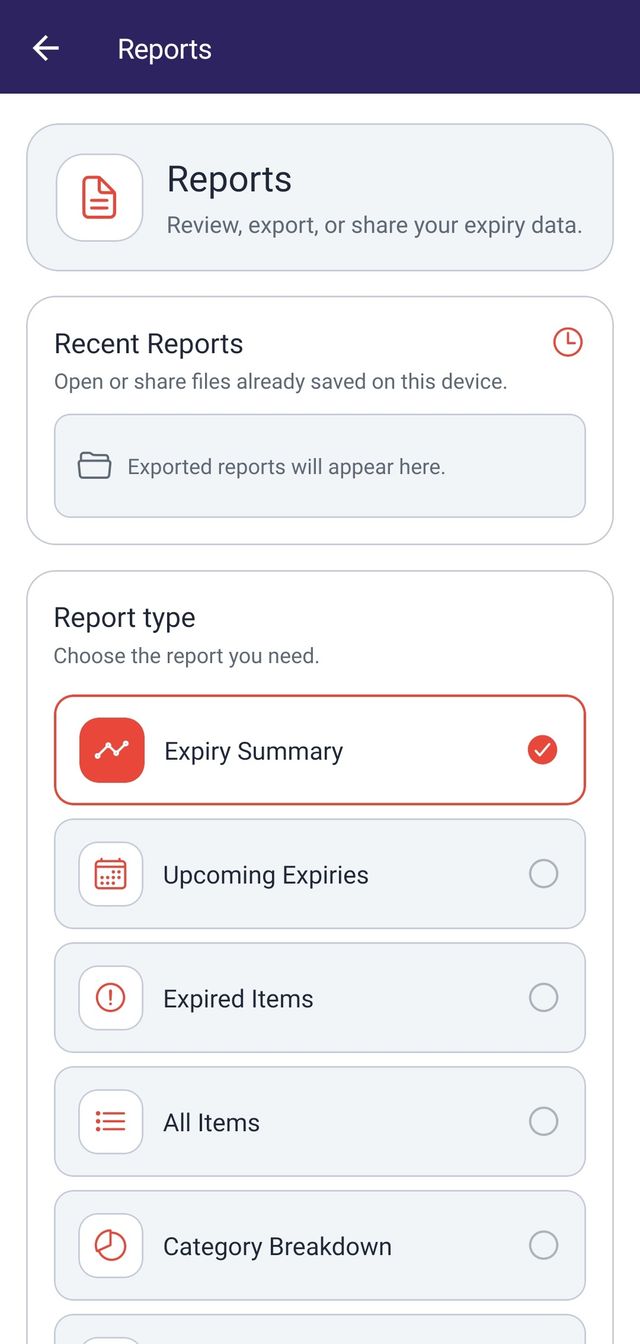
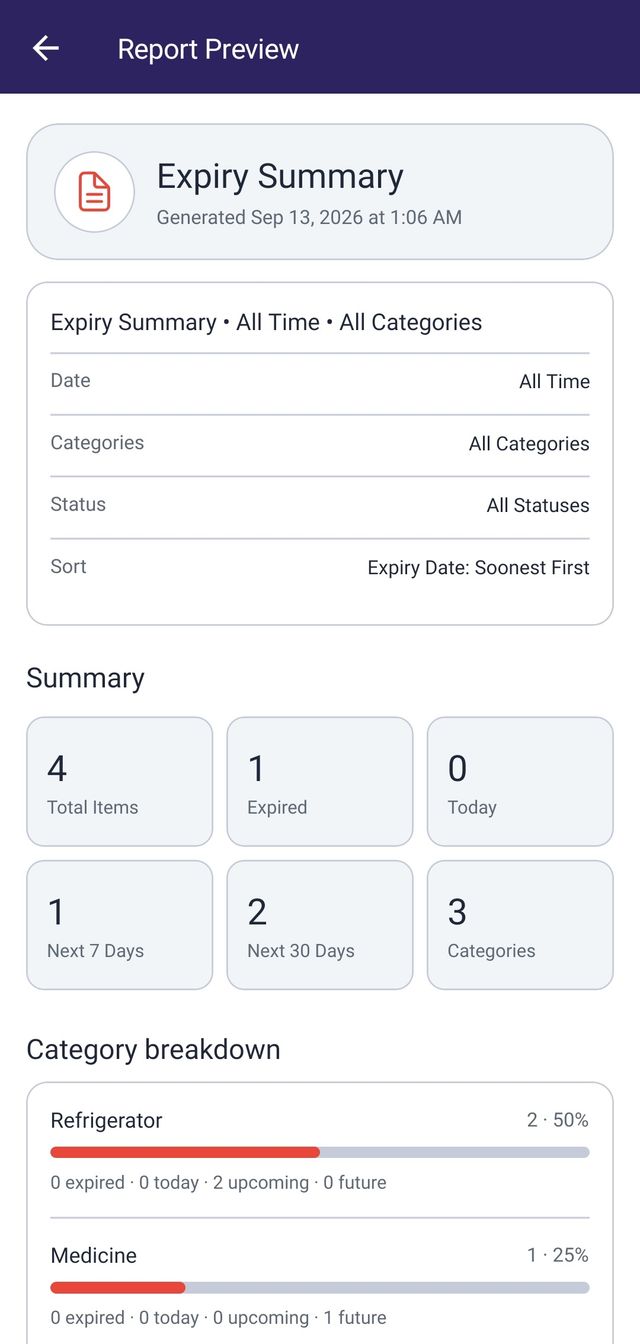
Reports export as PDF, Excel, or CSV. The file is generated on your device and saved there, so you can open it or share it with another app. Exported files are not uploaded to a server, and the app keeps a short list of the reports you generated most recently.
In practice
These all map to categories the app ships with.
Dairy, bread, meat, seafood, canned food, spices, cooking oil, rice, flour, coffee, and tea.
Medicine, vitamins, supplements, and first aid supplies, so a pack does not sit in the cupboard past its date.
Skincare, cosmetics, makeup, perfume, shampoo, soap, toothpaste, and mouthwash.
Cleaning supplies, laundry and dishwashing products, batteries, and water filters.
Passports, licences, insurance, warranties, gift cards, and event tickets.
Pet food and baby food, tracked alongside everything else in the house.
ExpiryNotifier is a tracking tool. It does not provide medical advice, and it is not a substitute for the instructions on a product or the guidance of a professional.
Privacy and control
Your account, items, categories, and item photos are stored in Firebase under your own account, and each account is kept separate from every other one. Reports are a different matter: they are generated on your device from your own data, and the exported file stays on your device unless you share it yourself.
You can delete your account whenever you want, from Settings inside the app. That removes your items, categories, profile, and uploaded images, and then deletes the account itself. It works for guest accounts as well as registered ones.
Questions
Anything with a date on it. Each item needs a category, a name, an expiry date, a reminder date and time, and a photo. The preset categories cover food, medicine, personal care, household supplies, documents, and more.
Yes. Alongside the 82 preset categories you can create your own, and the app keeps up to 50 custom categories. Only the categories you select appear when you add or filter items.
You pick a reminder date and time when you add an item, and the app schedules that reminder locally on your device. Because it depends on your device notification settings, the app checks whether it could schedule the reminder and tells you when something needs changing.
PDF, Excel, and CSV. You preview a report in the app first, then export it. The file is written to your device, where you can open it or share it with another app.
Settings has a dedicated Account section with permanent account deletion, for both guest and registered accounts. It removes your items, categories, profile, and uploaded images, then deletes the account itself.
Add the first thing you keep forgetting about, and let the reminder do the rest.